I use KakaoTalk for most of my personal and business communication. There is a fantastic security feature called “Login Restriction by Country,” which can confuse some users. We must remember that the app was created for Korean users and has been roughly translated for non-Korean users.
Table of Contents
What is “Login Restriction by Country”?
It is a security feature for the users – it blocks all login attempts from the countries not listed under “Login Permitted Countries”. Please carefully look at the pictures for a clearer understanding.
Although it is highly recommended that you leave it on, the feature can be disabled. Here is how to disable the “Login Restriction by Country” feature
How to disable the “Login Restriction by Country” feature in KakaoTalk
- Go to “Settings” by clicking on the gearbox icon
- Click on “Kakao Account”
- Click on “Login Restriction by Country
- Confirm Password
- Click on “Disable” and follow the instruction
KakaoTalk’s customer page has wrong instructions on how to disable the restriction feature. Following the steps above will get you there.
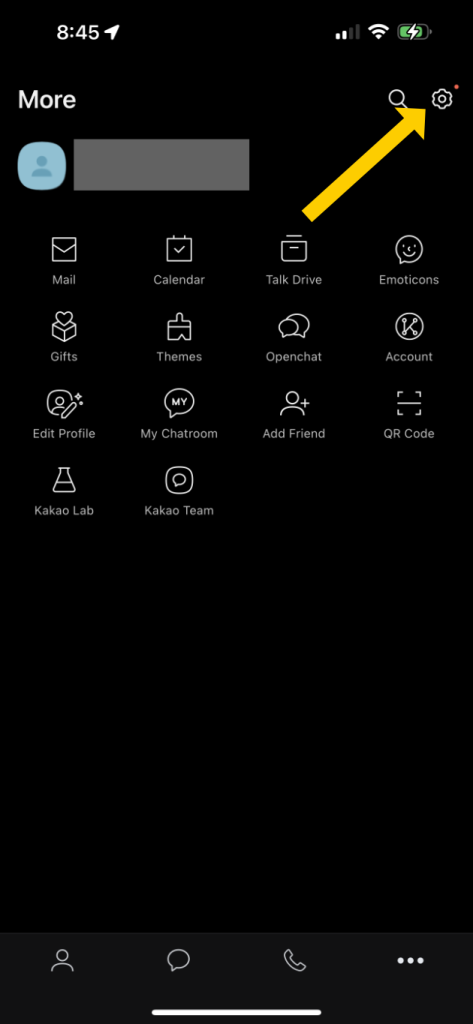
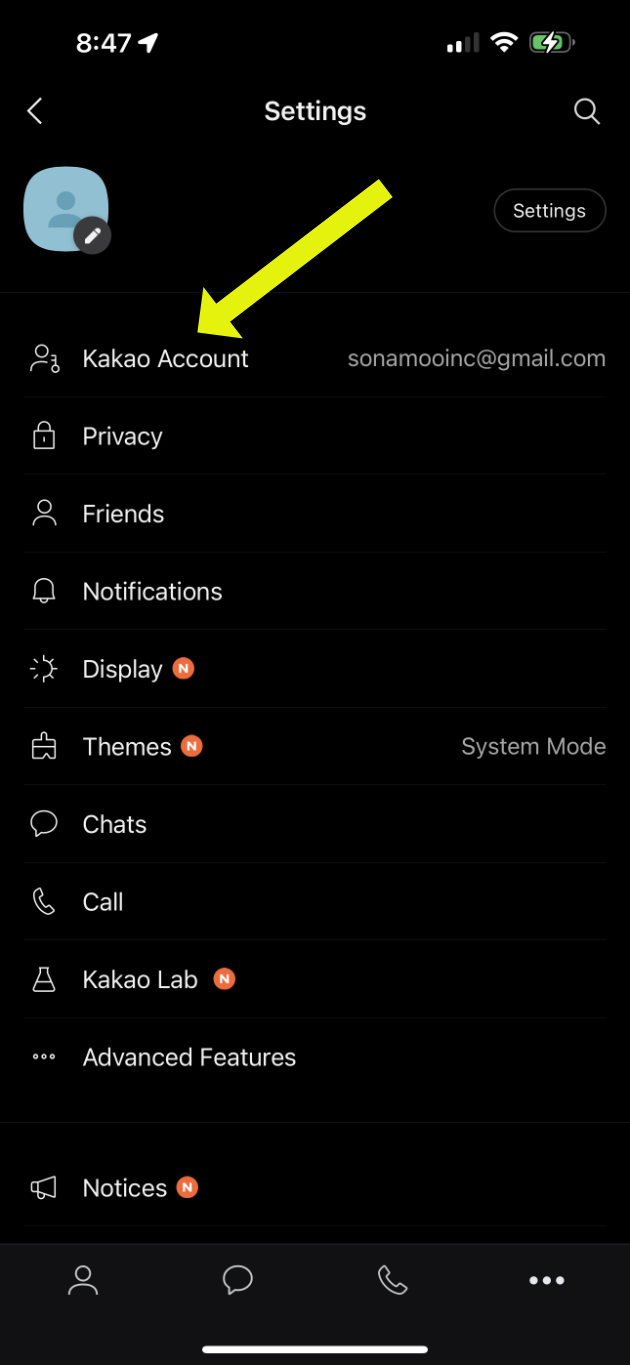
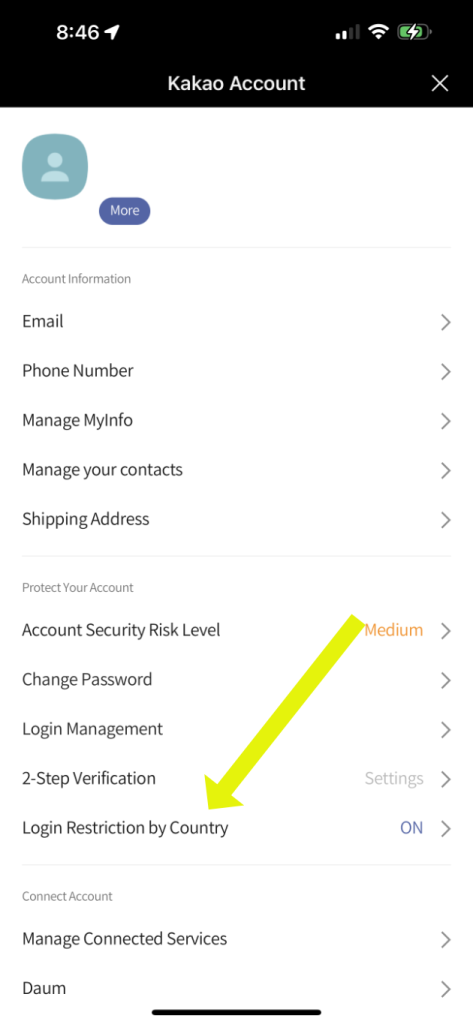
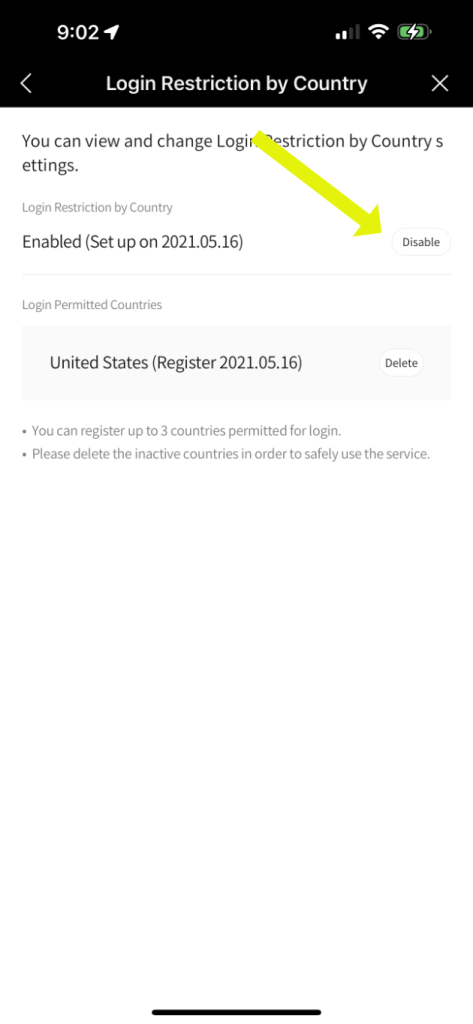
After setting up the “Login Restriction by Country” feature, some users reported not receiving the verification message.
The verification message should come through KakaoTalk. There could be a delay in the mail delivery. Make sure to check the spam box.
What is “Login Permitted Countries”?
If you are planning on traveling to a different country and using KakaoTalk, the country you will use the app should be listed under “Login Permitted Countries.”
The main country where you’ve registered your account should appear there automatically. You can add additional countries (need to undergo additional verification processes). You can add up to 3 countries.


Leave a Comment